How to Join PocketMobs: Server IP and Port (Phone, PC, Xbox, PS, Switch)
PocketMobs server IP: play.pocketmobs.com, port 19132. Copy them in one tap and join in 4 easy steps with pictures.
 supershiftery
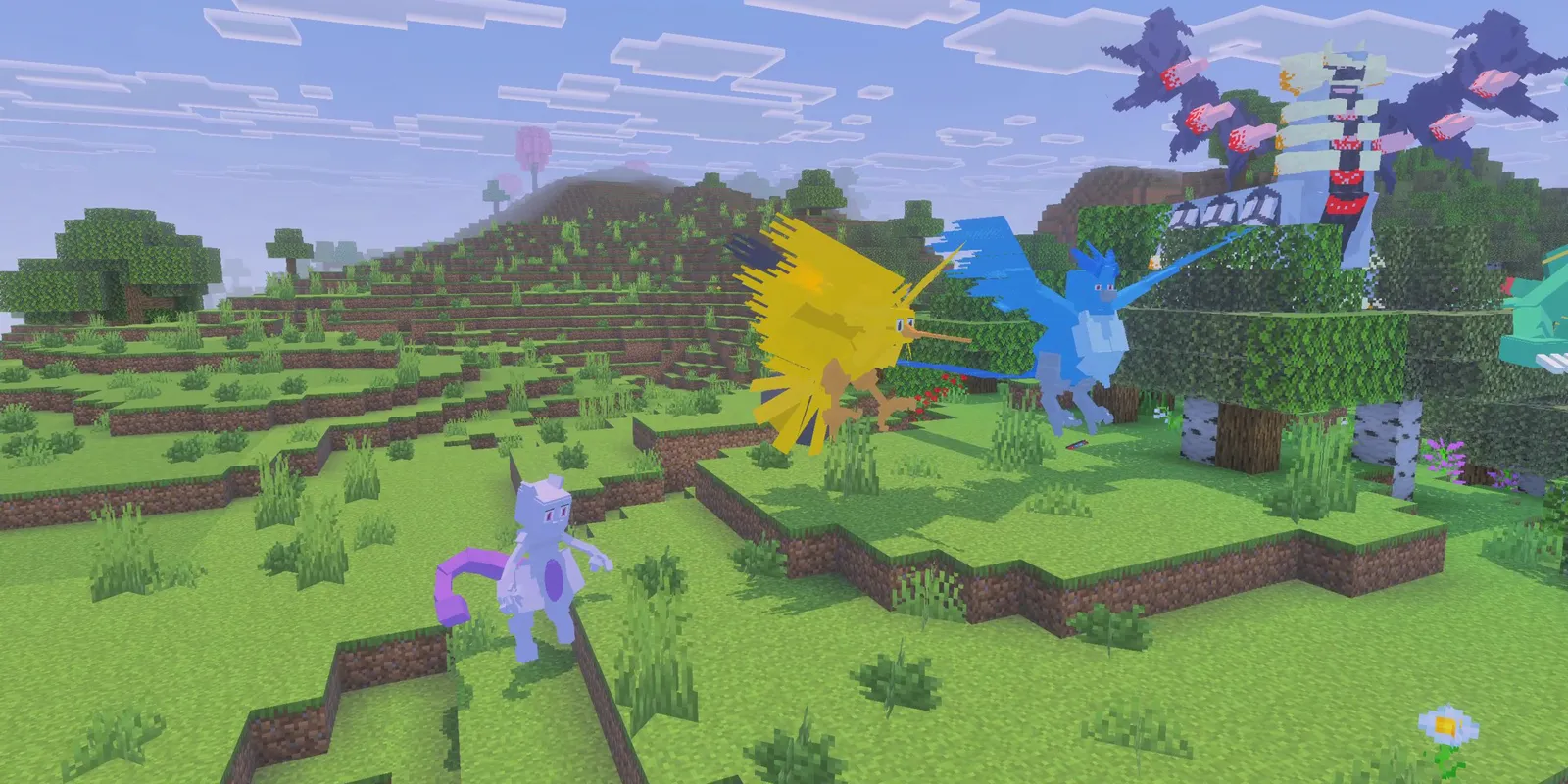
PocketMobs: free Pokémon server for Minecraft Bedrock
Phone, tablet, PC, Xbox, PlayStation and Switch
▶ Add to Minecraft (phone or PC)
Xbox, PlayStation or Switch? Scroll down to "On a console".
On a phone, tablet or PC
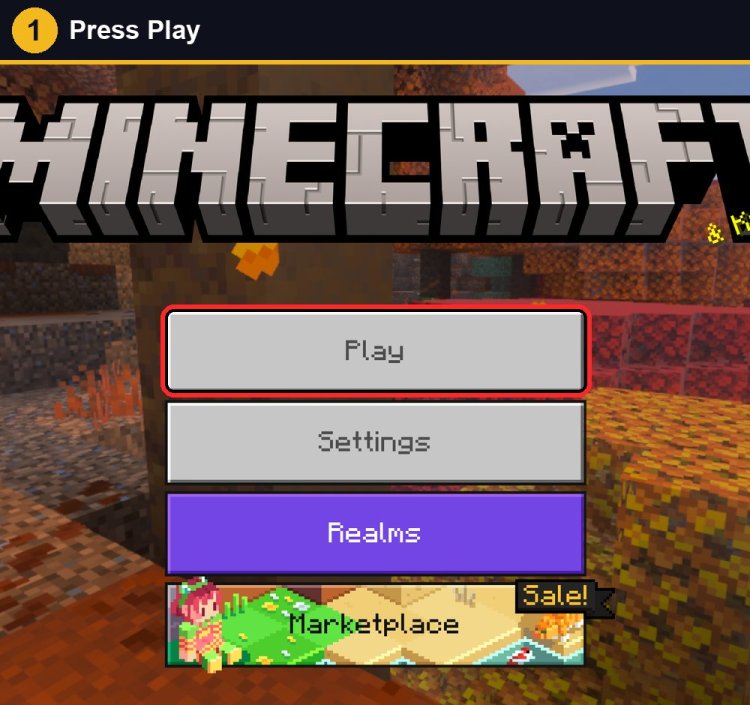
1. Open Minecraft and press Play.
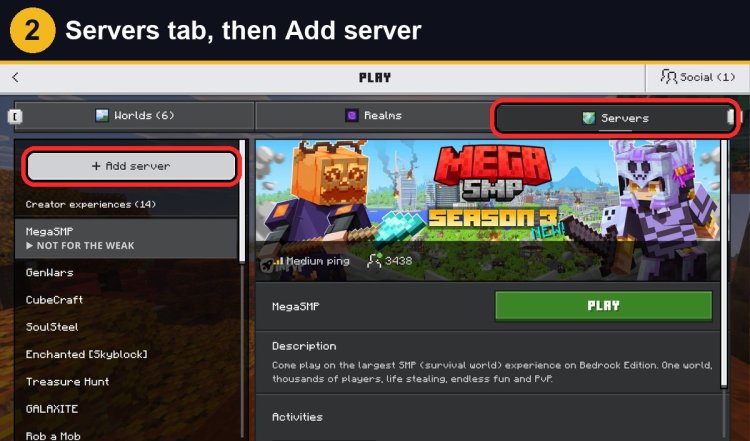
2. Open the Servers tab and press Add server.
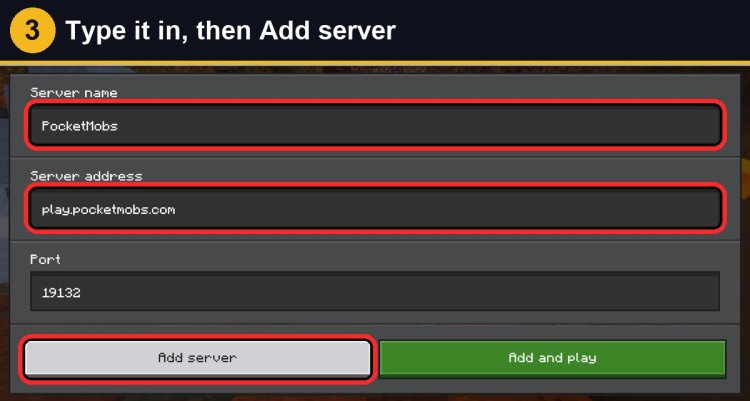
3. Type PocketMobs and play.pocketmobs.com. The port is already 19132. Press Add server.
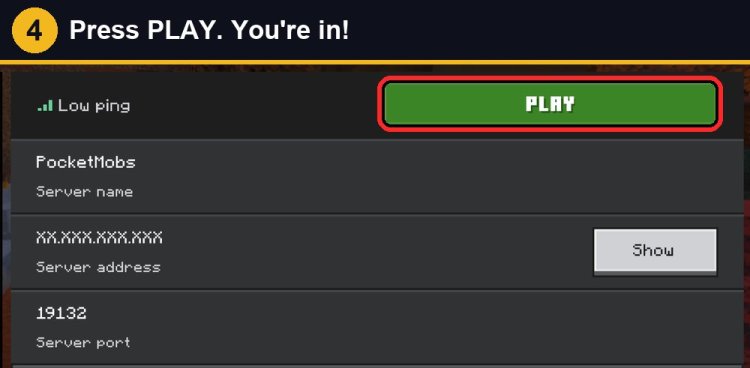
4. Press PLAY. You're in!
On a console (Xbox, PlayStation, Switch)
Consoles can't add servers, so PocketMobs is a friend you join.
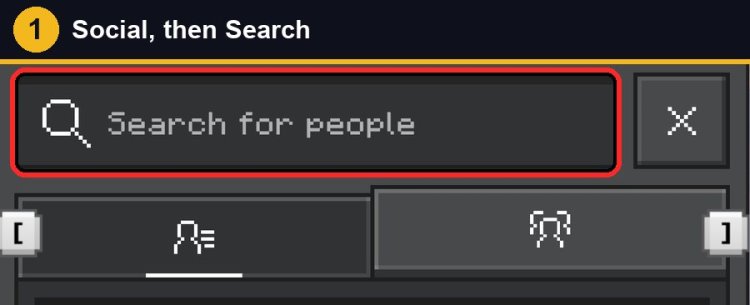
1. Press Play, then Social (top right), then the Search box.
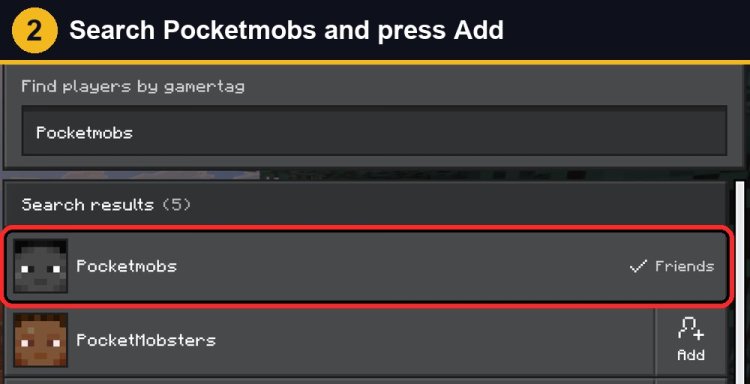
2. Type Pocketmobs, then press Add on the first one (not PocketMobsters).
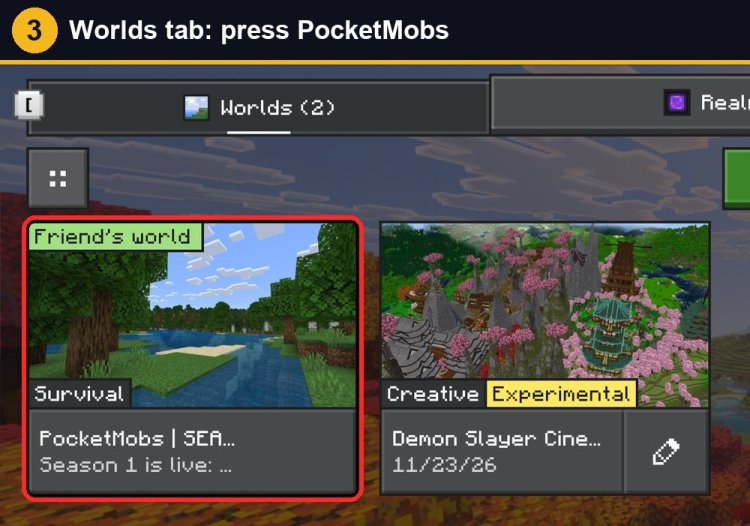
3. Go to the Worlds tab. PocketMobs shows up as a Friend's world. Press it to join.
Can't join?
- Update Minecraft to the newest version.
- Close Minecraft fully and open it again.
- PocketMobs works on Bedrock only, not Java.
Need help? Ask in the PocketMobs Discord.
PocketMobs is a fan-made server. Pokémon is a trademark of Nintendo, Creatures Inc. and GAME FREAK inc. Not an official Minecraft product. Not approved by or associated with Mojang or Microsoft.